




















A formation in Kingshot is a saved march: heroes plus a troop split that you load with one tap on any deploy screen. Slots unlock with Town Center level, and VIP adds extra slots while VIP is active.
Read the full answer ↓Hide ↑
The October 19, 2026 update added more formation slots that unlock as your Town Center levels up; the official notice says four, the App Store notes for version 1.14.16 say two, and neither lists the exact levels — check the lock icon on each slot in your game. Save one preset per job: rally lead, rally joiner, defense, Bear Hunt and the current event.
How to Save and Load a Formation
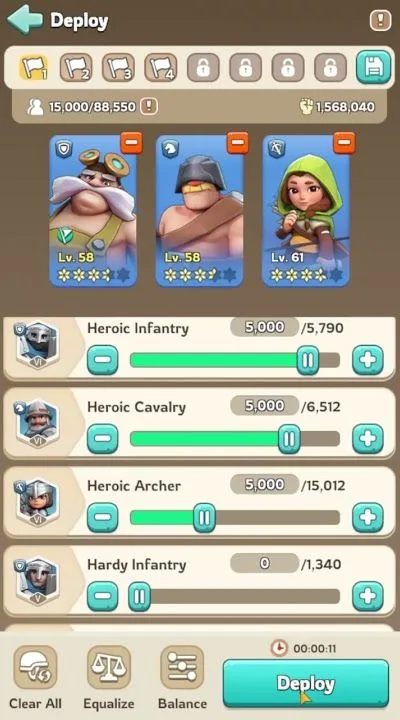
Formations live on the Squad Deploy screen, which opens whenever you start a march — on a monster, a player, a resource tile or an empty tile. Set your heroes first, then move the Infantry, Cavalry and Archer sliders to the split you want; doing it in the other order is a common mistake, because swapping a hero can change march capacity and reset your troop split. Tap Save, choose a numbered slot and confirm. From then on, tapping that slot on any deploy screen loads the whole march.
New Formation Slots in the October 2026 Update
The October 19, 2026 update added more formation slots that unlock step by step as your Town Center levels up. The official update notice says four new formations; the App Store notes for version 1.14.16 describe two, and neither source lists the exact Town Center levels. Until Century Games publishes the levels, the reliable check is your own formation screen: locked slots show what they need. VIP also adds formation slots, but only while your VIP is active — if VIP time runs out, those slots switch off even though your VIP level stays.
Common Formation Errors and Fixes
"Squad position locked!" means you tapped a slot you have not unlocked yet — check its Town Center or VIP requirement. "You have heroes with no troops" means the saved formation has heroes but zero troops; add troops and save again. "Insufficient troops" or a request to configure a squad usually means the slot is empty or you no longer have enough healthy troops for the saved counts, most often because troops are in the Infirmary or already on another march.
Which Presets to Save
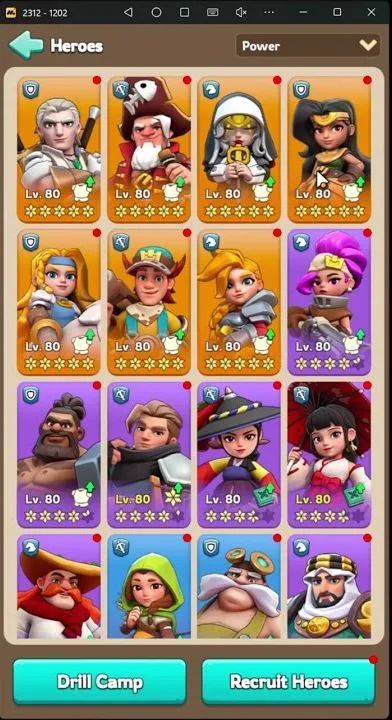
Save presets by job, not as "March 1" and "March 2". A setup that works for most governors: one rally lead preset with your strongest heroes; one or more rally joiner presets, because the hero you lead a joiner march with changes what that march adds to the rally; one defense or garrison preset; one Bear Hunt preset; and one slot for whichever special event is running, such as Mystic Trial zones. Name each preset by role and troop ratio so you can tell them apart in a hurry, and update them after you replace a hero or unlock a new troop tier.
Test Before the Event Window
Load every preset once before an event starts and check that it fills completely. Events like Bear Hunt or Swordland Showdown give you short windows, and a preset that fails because of wounded troops or a changed hero wastes a whole march. After the October update, re-save your main setups if you gained new slots — the extra slots are most useful as dedicated joiner presets for different rally leaders.
🎬 Kingshot Video Guide & Meta Breakdown
❓ Kingshot Frequently Asked Questions
Click any question below to view the verified answer and mechanics breakdown.
Your next steps
Copy a clean 4-bullet tactical summary formatted for in-game R4/R5 alliance mail or Discord.